
I'll wait here until you've taken a peek and become fanatical about it.
Go ahead, take your time.
Now, if you're like me, one of your first thoughts was, "How can I go about making a DVD of the first Harry Potter movie, with the WPDR audio as an alternate audio track?" You're probably not like me, but I'm going to tell you how to do so anyway.
I should note a few things.
- ONE: I'm using the North American NTSC 16x9 release (the two-disc set). Any NTSC version should probably be fine, but there's some issues with PAL because of framerate differences. The Wikipedia article has some information about that. If you use the PAL version, you'll have to figure out re-syncing the audio yourself.
- TWO: The only data I'm serving from this website is my own dvdauthor creation files, which I've created entirely by hand (apart from the logos on the menu system). In order to build this DVD, you'll have to have your own copy of the Sorcerer's Stone DVD, and you'll have to grab the WPDR mp3 files. Brad Neely's site doesn't seem to actually work anymore, but the audio should still be available at archive.org.
- THREE: Unlike the YouTube playlist embedded above, the WPDR audio does not have any of the soundtrack mixed in. The WPDR audio track will be only the alternate narration by Brad Neely.
Downloads
A Note: There are two versions of the data files available here. One is for dvdauthor versions up through (and including) 0.6.14. The other is for versions after 0.6.14 (which include 0.6.18, and the newer 0.7.0 branch). After 0.6.14, ownership of the dvdauthor utility changed hands, and the format it used for the menu files changed somewhat. If you've downloaded the wrong one and don't want to redownload the whole thing, you can actually just regenerate the menu files using the mkmenus.sh script in there. The 0.6.14-and-before tarball was also updated on Jan 4, 2011 with a minor tweak to the wizard_people.xml file to make it work on both new and old versions of dvdauthor.(Updated Jan 4, 2011)Once you have those and follow these instructions, you should have a DVD with the following menus (the logo changes depending on which audio you've selected, and the DVD defaults to using the WPDR audio):
For new dvdauthor versions (after 0.6.14): wizard_people.tbz2
For dvdauthor versions through 0.6.14: wizard_people_dvdauthor_0.6.14.tbz2
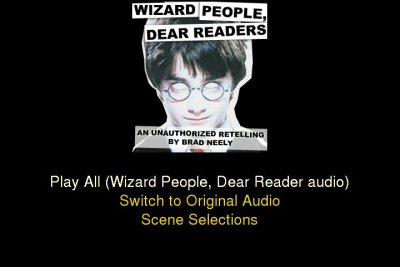
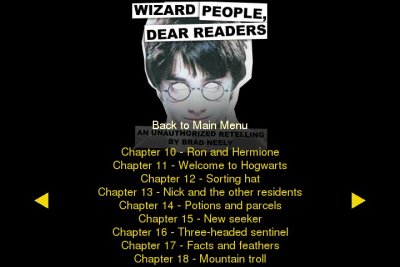
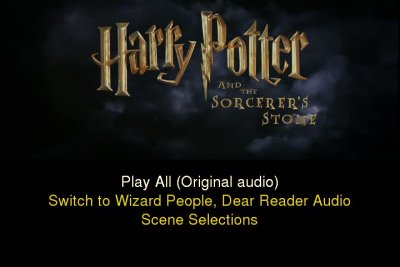
Requirements
Data Requirements
- A copy of Harry Potter and the Sorcerer's Stone, NTSC version (you can use PAL, as mentioned above, but you'll have to figure out sync issues yourself)
- wiz1.mp3 and wiz2.mp3 from archive.org. The main WPDR website doesn't seem to acutally work anymore.
- My wizard_people.tbz2 tarball, containing all the dvdauthor project files you'll need to create the DVD image.
- A chunk of hard drive space. If you don't delete any of the intermediate files during the process, you'll probably need a little under 25GB of space. You can delete much of it as you go, although you will need to be able to store two complete DVD images at once, which would be around 15GB or so. Keep that in mind.
Software Requirements
- Something which you can use to process and alter sound files. Specifically, you need to convert the mp3s to wav files, bump up the volume a bit on the first one, concatenate the two together (while adding bits of silence), and resample them to 48 kHz. You can probably do all of that with Audacity or Sweep or the like, but I used the following:
- transcode (v1.0.2) for converting the audio to AC3 (if you have some other program for doing this, I'm sure that would work fine too - transcode could probably do some of the above audio functions, as well)
- A program to extract the audio and video from the Harry Potter DVD. I used mplayer (v1.0_rc1) to do so, though there are many options.
- mplex from mjpegtools (v1.8.0)
- dvdauthor (tested v0.6.14 and v0.7.0)
- A program to test out the DVD image before you burn it. I use xine (v0.99.4) for that.
- Finally, some method of burning the disc. I use growisofs from dvd+rw-tools (v6.1)
Additional Requirements
Additionally, if you're not happy with my DVD menus, or you just want to muck around with the actual DVD creation, you'll need to have a few more utilities to play around with all that (though most of them come with mjpegtools and dvdauthor, so you probably already have those from the first batch of programs). Here's what I used, though there's many ways of doing it:- gimp (v2.3.14) for creating the menu graphics
- dvdxchap from ogmtools (v1.5) is useful for finding out where chapter breaks are, though it's not really needed.
- tooLAME (v02l) for creating some menu silence (if you're happy with the superb quality of the silence I've bundled in my tarball, you can certainly do without this)
- pcxtoppm from netpbm (v10.34)
- ppmtoy4m, mpeg2enc, and mplex from mjpegtools
- spumux from dvdauthor.
The Procedure
- Preparation
First off, you'll want to go grab the mp3 files from the actual Wizard People, Dear Reader homepage. Links to the files themselves (via archive.org):
Just so that we're starting off on the right foot, here's how those files look to me. If you've got different filesizes or md5sums, etc, you'll want to make extra-sure that what I'm telling you will do the trick.
file            size            md5sum
wiz1.mp3        36583866        706c5a977e6be66d791c58f76f85f0c7
wiz2.mp3        35453311        00d8ddb45bf1325315c6a8e943d22021
The first number of steps are all audio processing tasks, so you can probably substitue your tools of choice for many of them. - Convert the mp3s to wavs
lame --decode wiz1.mp3 wiz1.wav
lame --decode wiz2.mp3 wiz2.wav
- Bump up the volume on the first half
I've found that a 2.5dB increase in volume is about right.
normalize -g 2.5 wiz1.wav
- Combine the two files
You can use just about anything for this. From a high-level perspective, you want to first pad the end of wiz1.wav until it's at 01:13:48.890 (small variations don't matter), and concatenate wiz2.wav at the end. Then fill the end of the file with silence until 02:32:21.376. The padding at the end doesn't actually seem to be, strictly speaking, necessary. In the end, your file should be 806,269,488 bytes (small variations in size really won't matter). Name this file wiz.wav, and you can then delete the intermediate files if you want.
A couple of sox commands to do this for you, using an intermediate file:
sox wiz1.wav wiztmp.wav pad 0 3.615
sox wiztmp.wav wiz2.wav wiz.wav pad 0 417.405
rm wiztmp.wav
... or all at once, without an intermediate file:sox wiz1.wav -t wav - pad 0 3.615 | sox -t wav - wiz2.wav wiz.wav pad 0 417.405
- Resample to 48 kHz
I used sox for this... There's a number of different resampling options, check sox's manpage for details (this page, linked from the manpage, has a bunch of detail on what the various modes mean). Personally I just used "polyphase" since that seemed to give the "best" quality, and I didn't care how long it took:
sox wiz.wav -r 48000 wiz48k.wav polyphase
- Convert wiz48k.wav to AC3 Audio
transcode -i wiz48k.wav -y null,raw -N 0x2000 -E 48000,16,2 -b 384 -m sound-wpdr.ac3
My sound-wpdr.ac3 file was 438,784,512 bytes when it was done. - Rip the video and audio streams from the DVD
mplayer dvd://1 -dumpvideo -dumpfile video.m2v
mplayer dvd://1 -dumpaudio -dumpfile sound-orig.ac3 -aid 128
The "-aid 128" option will ensure that it's the english audio track you're grabbing. mplayer should output a list of available audio tracks as it starts up - feel free to pick and choose if you want, obviously, though my dvdauthor XML files assume that you've only kept the one english audio track. On my system, video.m2v is 6,157,880,136 bytes, and sound-orig.ac3 is 511,917,056 bytes.At this point, you should be able to get the following with the file command:
sound-orig.ac3: ATSC A/52 aka AC-3 aka Dolby Digital stream, 48 kHz,, complete main (CM) 3 front/2 rear, LFE on,, 448 kbit/s reserved Dolby Surround mode
sound-wpdr.ac3: ATSC A/52 aka AC-3 aka Dolby Digital stream, 48 kHz,, complete main (CM) 2 front/0 rear, LFE on,, 384 kbit/s reserved Dolby Surround mode
video.m2v:      MPEG sequence, v2, MP@ML interlaced Y'CbCr 4:2:0 video, CCIR/ITU NTSC 525, 16:9, 29.97 fps
Note that at this point, those are the only three files you need to keep around. Especially if you're low on disk space, all the .wav files that we had been working with can be deleted. - Multiplex the video and sound streams
mplex -f8 -o wizard_people.vob video.m2v sound-wpdr.ac3 sound-orig.ac3
The end file, wizard_people.vob, came out to 7,249,860,608 bytes on my system. - Create the DVD image
Here's where my dvdauthor files come into play. Unpack the tarball and you'll see it creates a wizard_people directory. Move wizard_people.vob inside it. Inside wizard_people, you should see a whole bunch of menu_* files and another wizard_people directory. (If the wizard_people directory doesn't exist, create it). Then run:
dvdauthor -x wizard_people.xml
Once that's done processing, you should have an empty AUDIO_TS and a full-of-data VIDEO_TS inside the wizard_people directory. That's the DVD image! It would be a good idea to test it out before burning:xine dvd:///path/to/wizard_people/wizard_people/VIDEO_TS/
- Burn the image
growisofs -speed=2 -dvd-compat -Z /dev/dvd -dvd-video -f -V HP_WPDR wizard_people
Editing the DVD
You may think that my menus suck, or you want them to work differently, or perhaps you just wanted to poke around to see what everything in my tbz2 does. Briefly, here's what all the files are (and links to some of the text-based files, as well):Files created by me
- wizard_people.xml
- This is the main dvdauthor XML file, containing all the code which runs the menus, etc. I imagine this may be useful to anyone who's not sure how to go about making a DVD with multiple audio tracks and scene selections, etc.
- menus.xcf
- This is a Gimp file which is used to generate all the menu graphics.
- menu_*_background.pcx
- These are the base menu graphics. It's just a static image.
- menu_*_buttons.png
- These define the buttons for the menus. As far as I can tell, it needs to be a transparent image with only two actual colors, which gets used as an overlay when a user's browsing the DVD.
- menu_*_spumux.xml (example)
- spumux needs these XML files to know how to stitch together the menus properly. These are all quite similar. I used to use spumux's autooutline="infer" method for defining buttons, but it turns out that doing so is far more restrictive than just defining the button geometry in the XML file.
- mkmenus.sh
- This is just a little shell script which loops through all the menus that I need to create and runs the necessary commands to get them ready for dvdauthor.
Files created by mkmenus.sh
- menu_silence.ac3
- Two seconds of silence.
- menu_*_background.m2v
- These are two-second video clips without sound, where each frame is just the corresponding menu_*_background.pcx
- menu_*.mpg
- These are just menu_*_background.m2v which have had the silent audio track multiplexed in.
- menu_*_final.mpg
- These are the files which are ready for dvdauthor to use. They've taken menu_*.mpg and run it through spumux using the XML files, which in turn read in the menu_*_buttons.png files to know where to put the buttons.
Other Information
- I originally used "dvdxchap -t 1 /dev/dvd" to determine where the chapter marks should go, but apparently there's some kind of bug in the version I was using, because it seemed to be calculating the chapter marks based on a framerate of 30fps, instead of 29.97fps. Over the whole course of the movie, that meant that the chapter marks were a little over eight seconds behind by the time the end of the movie came around. In order to actually use the values given by dvdxchap, I had to multiply its values by 1.001. That's something to check up on if you end up doing the same thing. It caused me quite a headache until I had it figured out for me on the dvdauthor mailing list.
- I updated this page with a new set of menus in March 2009, which I think look much better than the original ones, and default to the WPDR audio as opposed to the original movie audio, which is how I should have done it in the first place.
- The dvdauthor tarballs were updated in January 2011 to support newer versions of dvdauthor, which had introduced some incompatibilities with files generated on older versions.
- This page was updated slightly in July 2017 to embed a YouTube playlist which actually works (the previous one had been defunct for awhile), and link more obviously to the archive.org page which holds the WPDR audio. Brad Neely's site looks like it may have been taken over or hacked or something in the meantime -- the "Wizard" page on there does still exist, but there aren't any actual links on it, and the main page seems to have a bunch of stuff about home renovations? Weird.
Conclusion
Not much else to say, really. Feel free to let me know if you've got any questions or suggestions, etc.Changelog
- Reformatting, update video embed
- Updated to support newer versions of dvdauthor
- Updates to Menus
- Default to WPDR audio
- Initial Post